Create your own ecommerce website and start selling successfully with ShopWired today


How to Create an Abandoned Cart Email Flow for Ecommerce
Not every customer who clicks “Add to Basket” ends up checking out. Whether it’s a sudden distraction, unexpected delivery costs or just second thoughts, abandoned carts are an unavoidable part of running an ecommerce store. In fact, the average cart abandonment rate is 69.99%, according to Baymard Institute.
But that doesn’t mean you can’t win them back.
An effective abandoned cart flow gives you a second chance. A well-timed, well-written follow-up can gently remind shoppers what they left behind and give them a reason to return.
In this guide, we’ll explore how to build a recovery sequence that converts cart abandoners into buyers, (without sounding pushy or annoying).
Let’s get started.
Table of Contents
- Why Are Carts Abandoned?
- What Is an Abandoned Cart Flow?
- How to Build an Abandoned Cart Recovery Flow That Converts
- 1. Timing: When to Send Your Emails
- 2. What to Say (and What Not to Say)
- 3. Using Discounts the Right Way
- 4. Design Tips for Higher Conversions
- 5. Measuring Results and Tweaking the Flow
- 6. Bringing It All Together
- Final Thought – A Few Emails Can Make a Big Difference
Why Are Carts Abandoned?
Before you can build a cart recovery flow that converts, you need to know why people are abandoning their carts in the first place. Maybe they got distracted. Perhaps they hit a snag during checkout. Or maybe they just weren't ready to buy. Whatever the reason, understanding why someone hesitated can help you prevent it moving forward.
Here are some of the most common reasons shoppers ditch their baskets:
- Hidden delivery charges showing up too late
- Checkout taking too long or asking for too much
- Being forced to create an account
- Not seeing their preferred payment option
- Worries about site security
- Unclear or strict returns policies
- A buggy or slow website
Abandoned carts don’t always mean lost sales. Often, they’re just paused decisions, and a smart follow-up can be all it takes to bring someone back and nudge them over the line.
What Is an Abandoned Cart Flow?
An abandoned cart flow is a series of automated emails sent to shoppers who added something to their basket but didn’t finish checking out. Think of it as a gentle reminder rather than a hard sell. It’s there to nudge the customer back to where they left off, help them feel confident buying, and clear up any concerns that may have stopped them the first time.
The most effective flows aren’t one-off messages. They’re structured sequences, spaced out with purpose and built to match how real people think. A single email might bring someone back, but a full flow gives you multiple chances to reconnect and recover the sale.
But how do you actually reach out to customers who abandoned their baskets?
Platforms like ShopWired include built-in basket recovery tools that let you send gentle reminder emails at timed intervals to visitors who’ve left items behind. It’s a straightforward way to follow up with potential customers.
For businesses that use email platforms, ShopWired also integrates with platforms like Klaviyo, Mailchimp and MailerLite — giving you the option to build more advanced sequences with custom logic and personalisation.
Whether you’re just getting started or looking to fine-tune what you’ve already got, building a smart abandoned cart flow is one of the easiest, most cost-effective ways to improve conversions.
How to Build an Abandoned Cart Recovery Flow That Converts
Now that we know why carts are abandoned and how a recovery email flow can help, let’s walk through the key components of an effective sequence. From timing your messages to crafting subject lines and offering the right incentive, each part of your flow can make a difference in winning the sale.
1. Timing: When to Send Your Emails
The first question is: how soon should I reach out after someone abandons their basket?
The short answer is fast... but not too fast.
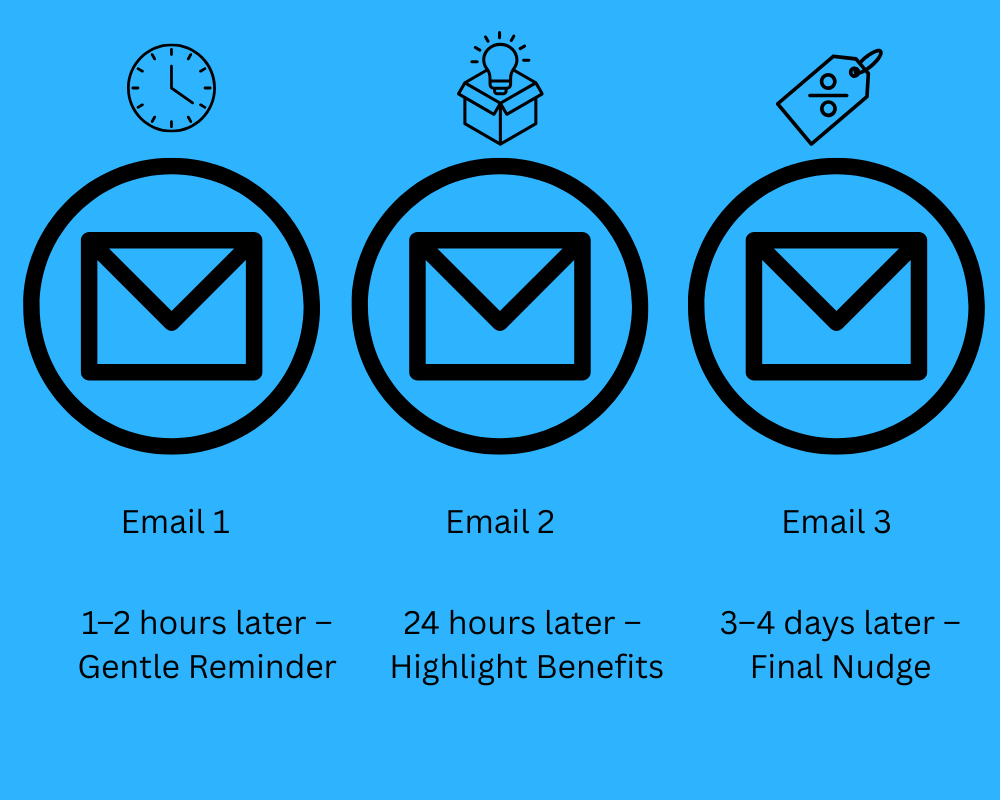
Email 1: 1–2 hours after abandonment
This first message should be a gentle reminder. Keep it light and helpful, like “Just checking — did you forget something?”
Email 2: 24 hours later
Here’s where you might add a little more persuasion. Highlight the product’s benefits, offer help or even include a review snippet to show that others loved the product.
Email 3: 3–4 days later
This is your final nudge. Consider adding a limited-time offer or low-stock warning, anything to encourage action without pressure. The exact timing can vary based on your audience and product type, but these intervals aren’t just theory; they’re proven timing intervals that are easy to put into practice. With ShopWired’s built-in Basket Recovery app, you can automate your emails to go out at exactly the right moments. If you’re using an external platform, it’s just as simple to set this up through your email provider’s automation tools.
2. What to Say (and What Not to Say)
What you say in a recovery email matters just as much as when you send it. A thoughtful message can rebuild intent, but a clumsy one can push people away. These emails should feel like helpful nudges, not salesy scripts. Here's how to strike the right tone:
Keep the tone natural and personal
Write like you’d speak: calm, helpful and to the point. If you have the customer’s name, include it in the subject line or email greeting to make the message feel more personal, not automated.
Remind them what they left behind
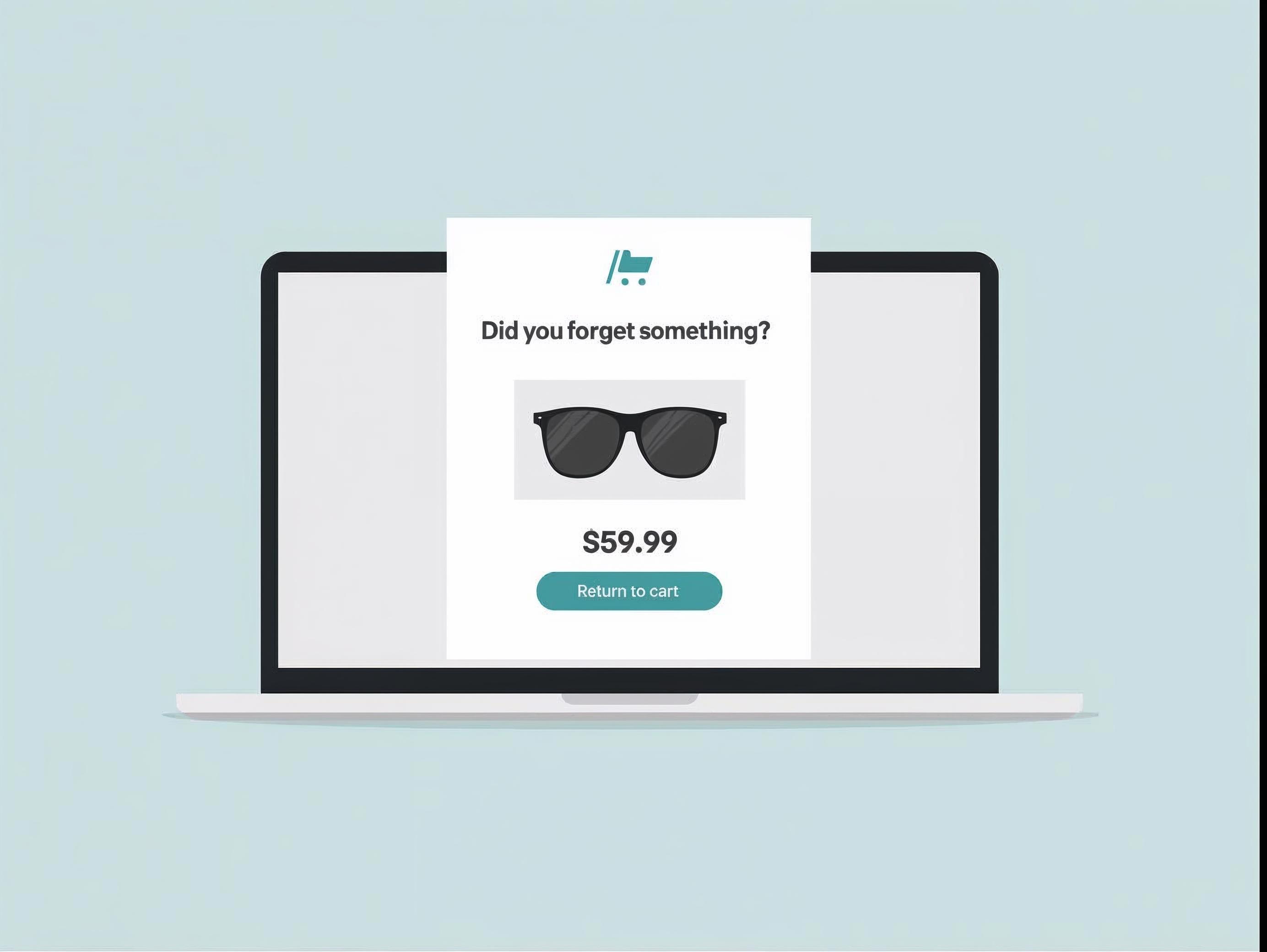
Show the product name, image, price and any key benefits. Keep it short, clear and focused. A quick “Still thinking it over?” followed by the product they viewed is often enough.
Use your subject line wisely
Don’t try to trick people into opening. Use friendly, curiosity-driven subject lines like “Did you forget something?” or “Your basket’s still waiting" to nudge them back.
Don’t go straight to the hard sell
If the first email comes across too pushy or makes the customer feel guilty, they’ll likely ignore the rest. Start with a helpful tone and gently encourage them to return rather than going straight in with a hard sell.
Make it easy to come back
Include one strong call-to-action (CTA) button that leads straight back to their cart. No distractions, no extra clicks.
Once you’ve got the tone and content right, you’re in a better position to build trust and gently lead customers back to complete their purchase.
3. Using Discounts the Right Way
Discounts can be a powerful recovery tool, but use them too soon or too often and they start to lose their value. The key is timing and restraint.
Here’s how to use discounts wisely:
Don’t discount too soon
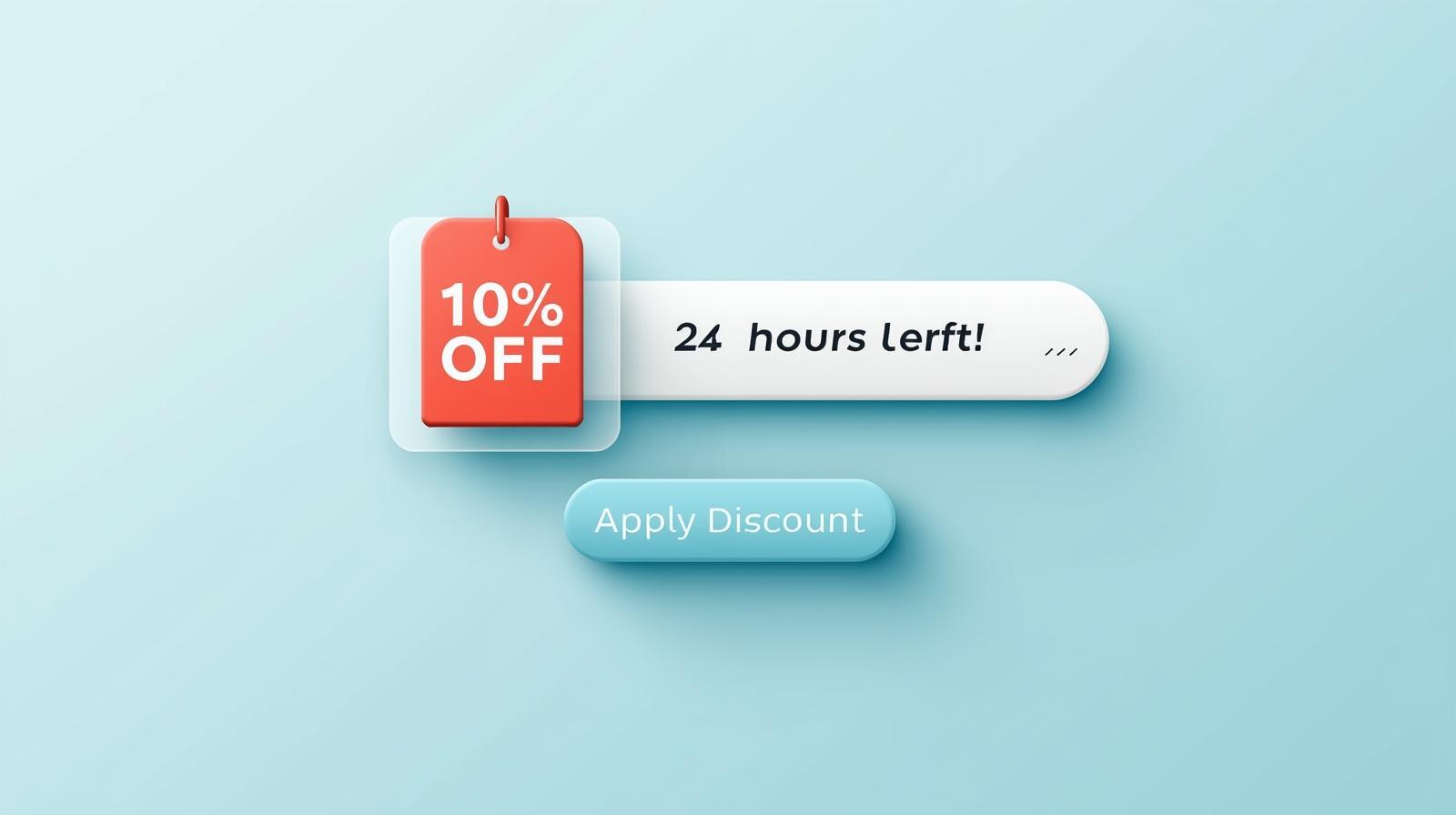
Jumping straight to a 10% off code in your first email can backfire. It might recover some carts, but it also trains people to abandon baskets just to get a deal next time.
Save offers for the final nudge
If someone hasn’t come back after one or two reminders, that’s the time to introduce an incentive. It could be a small discount, free shipping or even a freebie. Keep it simple and easy to redeem.
Make it time-limited
A short expiry date adds gentle urgency without pressure. Phrases like “Your discount expires in 24 hours” can create just enough nudge to get them over the line.
Test different incentives
Not every audience responds to the same thing. Some might prefer free shipping over 10% off. Run occasional A/B tests to see what works best. Used carefully, discounts can tip the scales without eating into your profit margin. But the goal should always be recovery, not reliance.
4. Design Tips for Higher Conversions
Design can make or break a recovery email. Even if your timing and message are spot on, a messy layout or hard-to-read format can stop a shopper in their tracks. Clean, mobile-friendly design helps you get your message across and also makes it easier for people to act. Here are some things to keep in mind:
Keep it clean and focused
Stick to one clear message, a single CTA, and avoid distractions. Too much going on can overwhelm the reader.
Prioritise mobile usability
Most cart recovery emails are opened on phones. Use a single-column layout, large buttons and short, scannable text.
Use product imagery
Show the actual items left behind. Visuals can reignite interest and bring people back more effectively than plain text.
Build trust visually
Add subtle trust signals like review stars, payment icons or delivery info near your CTA to help ease hesitations.
A well-designed email doesn’t just look good — it makes action feel effortless and logical. Keep it simple, structured and user-friendly.
5. Measuring Results and Tweaking the Flow
Once your abandoned cart flow is up and running, the next step is to monitor how it’s performing. Tracking the right data helps you spot what’s working, as well as things that could be improved. This will help guide your efforts on what needs attention.
Track open rates
See how many people are opening each email. If one is underperforming, test a new subject line or adjust the send time.
Monitor click-through rates (CTR)
This shows how many people are engaging with your content. Low CTR? Try simplifying your message or changing the CTA placement.
Check your recovery rate
This is the most important number — how many shoppers actually came back and placed an order? A small lift here can mean a big increase in sales.
Run A/B tests
Test one change at a time, whether it’s a different product image, message wording or offer. Use the results to shape future sends.
Keep iterating
Trends shift, customer habits change and what worked last month might not work today. Stay curious and keep improving your flow.
6. Bringing It All Together
Once you’ve got your flow mapped out with smart timing, helpful messaging, clean design and the right incentives, the last step is making sure it all runs smoothly behind the scenes.
Automate with confidence
ShopWired websites include a built-in Basket Recovery app, so you can schedule your emails and let the platform handle the delivery for you. No need for extra tools or manual follow-ups.
Go deeper with integrations
If you use an external email marketing tool, ShopWired integrates with platforms like Klaviyo, Mailchimp and MailerLite. These tools may give you more flexibility as your email strategy grows.
Keep refining over time
Your first flow doesn’t have to be perfect. Launch something simple, see how it performs and tweak as you go. Even small adjustments can make a big difference.
A well-built abandoned cart flow is one of the easiest, most effective ways to recover lost revenue. With the right tools and a little thought, you can turn hesitation into conversion and boost your sales.
Final Thought – A Few Emails Can Make a Big Difference
Abandoned carts are inevitable... but lost sales don’t have to be. With the right flow in place, you can gently reconnect with potential customers, build trust and recover revenue you might’ve otherwise missed. From well-timed emails and thoughtful messaging to smart design and occasional incentives, each element of your flow plays a part in nudging people back toward checkout.
If you’re on ShopWired, everything covered in this guide can be handled through the built-in Basket Recovery app. No complicated setup or third-party tools required. And if you’re looking to go further with personalisation or multi-step automations, integrations with platforms like Klaviyo, Mailchimp and MailerLite are ready when you are.
A few smart emails can go a long way. Set it up once, test as you go and watch your recovery rate grow!
Want to try ShopWired for free? Sign up for a FREE 14-day trial here.