Create your own ecommerce website and start selling successfully with ShopWired today


Xero vs QuickBooks: Which Is Best for Your Ecommerce Business?
Managing your business's finances is made easier with dedicated accounting software. Two popular accounting tools are Xero and QuickBooks. Both offer a range of accountancy features tailored to ecommerce businesses and can be integrated into many ecommerce platforms.
But which one is the best fit for your business?
In this comparison, we'll explore the strengths and weaknesses of both Xero and QuickBooks. We’ll also look at their integrations with ShopWired. By examining their pricing, features, ease of use and more, you’ll be able to decide which is the best for your business!
Contents
- Xero vs QuickBooks Features Overview
- Xero vs QuickBooks Pricing
- Xero vs QuickBooks: Full Comparison
- Xero vs QuickBooks - Online Reviews
- ShopWired Integration
- Summary: Xero vs QuickBooks: Which One Is The Best?
Xero vs QuickBooks Features Overview
About Xero
Xero, launched in 2006, is popular amongst small-medium-sized businesses. Xero simplifies accounting with easy-to-use features covering areas such as invoicing, bank reconciliation and financial reporting.
Xero's user-friendly design and beginner-friendly tools makes it a solid choice for startups and those with limited accounting knowledge. Overall, Xero makes accounting sleek and enjoyable, something many users highlight in online reviews.
About QuickBooks
QuickBooks Online, developed by Intuit, is another market-leading accounting software. Designed for businesses of all sizes, QuickBooks offers a similar feature set to Xero, allowing companies to streamline tasks such as bill management, invoicing, reporting and much more.
With a strong presence in the US market, QuickBooks is highly favoured by professional accountants and boasts an estimated 80% market share in the accountacy software market,
Xero vs QuickBooks: At A Glance
QuickBooks has been around much longer than Xero. It is very well-developed and is often the go-to choice for professional accountants. In the US in particular, QuickBooks dominates the accounting software market with a 66.58% market share.
Xero boasts a similar feature set to QuickBooks with everything you'd expect from accounting software, including invoicing, expense tracking, financial reporting and much more. Despite its more recent entry into the market, Xero’s intuitive design and ease of use make it a solid choice. Xero, being newer, is often favoured by startups and small businesses due to its modern interface and streamlined features.
Xero vs QuickBooks Pricing
Both Xero and QuickBooks offer different pricing tiers to cater for different budgets and needs. Smaller businesses and startups may find the lower-tier plans sufficient, while larger enterprises might require higher-tier plans to unlock more advanced features.
Xero Pricing in the UK
Starter Plan: £15 per month
- Send quotes and 20 invoices
- Enter 5 bills
- Reconcile bank transactions
Standard Plan: £30 per month
- Send unlimited invoices and quotes
- Enter unlimited bills
- Reconcile bank transactions
Premium Plan: £42 per month
- Includes Standard features plus multi-currency support
- Ultimate Plan: £55 per month
- Includes Premium features plus advanced analytics
Free Trials: Xero offers a 30-day free trial for all plans. Optional add-ons are available for payroll, expenses, project tracking and more.
QuickBooks Pricing in the UK
QuickBooks offers pricing plans tailored specifically for sole traders and small businesses, as well as options for limited companies.
For Sole Traders:
Self-Employed Plan: £10 per month (Free for the first month)
- Submit VAT to HMRC
- Prepare for Self-Assessment
- Income tax estimates
- Manage income and expenses
- Track mileage
- Create and send invoices
Simple Start Plan: £14 per month (Free for the first month)
- All Self-Employed features plus:
- VAT error checker
- Manage income and expenses
- Create and send 'pay-enabled' invoices
- Connect your bank
- Run customised reports
- For Limited Companies:
Simple Start: £14 per month (Free for the first month)
- For sole traders or small businesses managing VAT, Income Tax, and preparing Self Assessment
- Features include submitting VAT to HMRC, income tax estimates, VAT error checker, managing income and expenses, and more
Essentials: £28 per month (Free for the first month)
- For small businesses working with suppliers
- Includes Simple Start features plus managing bills, multi-currency support and tracking employee time
Plus: £38 per month (Free for the first month)
- For businesses managing projects and stock
- Includes Essentials features plus inventory management, project profitability tracking, and setting budgets
Advanced: £90 per month (Free for the first month)
- For businesses needing automatic data backup and custom permissions
- Includes Plus features plus advanced reporting, batch invoices, and automated workflows
Both Xero and QuickBooks offer competitive pricing and free trials, allowing you to test the software before committing. For more detailed and up-to-date information, visit the Xero pricing page and the QuickBooks pricing page.
Xero vs QuickBooks Features Overview
When choosing the right accounting software for your business, it's important to consider various factors such as ease of use, scalability, integrations and customer support. Here's an overview of what you can expect from each platform:
| Feature | Xero | QuickBooks Online |
|---|---|---|
| Key Features | Robust reporting tools, basic inventory tracking, bills, mobile app, unlimited users | Advanced reporting tools, inventory tracking in higher tiers, mobile app, 25 users in higher plans |
| Ease of Use | Clean, intuitive interface; ideal for startups and small businesses | Customisable layout; beneficial for users with more complex needs |
| Scalability | Supports larger businesses with unlimited users | Supports larger businesses, higher tier for 25 users |
| Ease of Sharing with Accountants | Audit trails, easy accountant access, less popular in the US | Audit trails, easy accountant access, widely used in the US |
| Integrations | Integrates with over 1,000 apps | Integrates with over 750 apps |
| Customer Support | No phone support, callback and chat support | 24/7 live chat and phone support, limited weekend hours |
| Advanced Features | Project tracking, inventory tracking for subscribers | Project tracking, inventory tracking for subscribers |
Xero vs QuickBooks: Full Comparison
In this section, we'll compare Xero and QuickBooks to help you make an informed decision about which accounting software best suits your needs.
Setup and Ease of Use
Xero: Known for its clean, intuitive interface, Xero is ideal for startups and small businesses. The simple navigation and easy-to-use features streamline the setup experience.
When users first enter Xero, a setup guide pop-up helps you with the initial setup and with getting to grips with Xero's features.
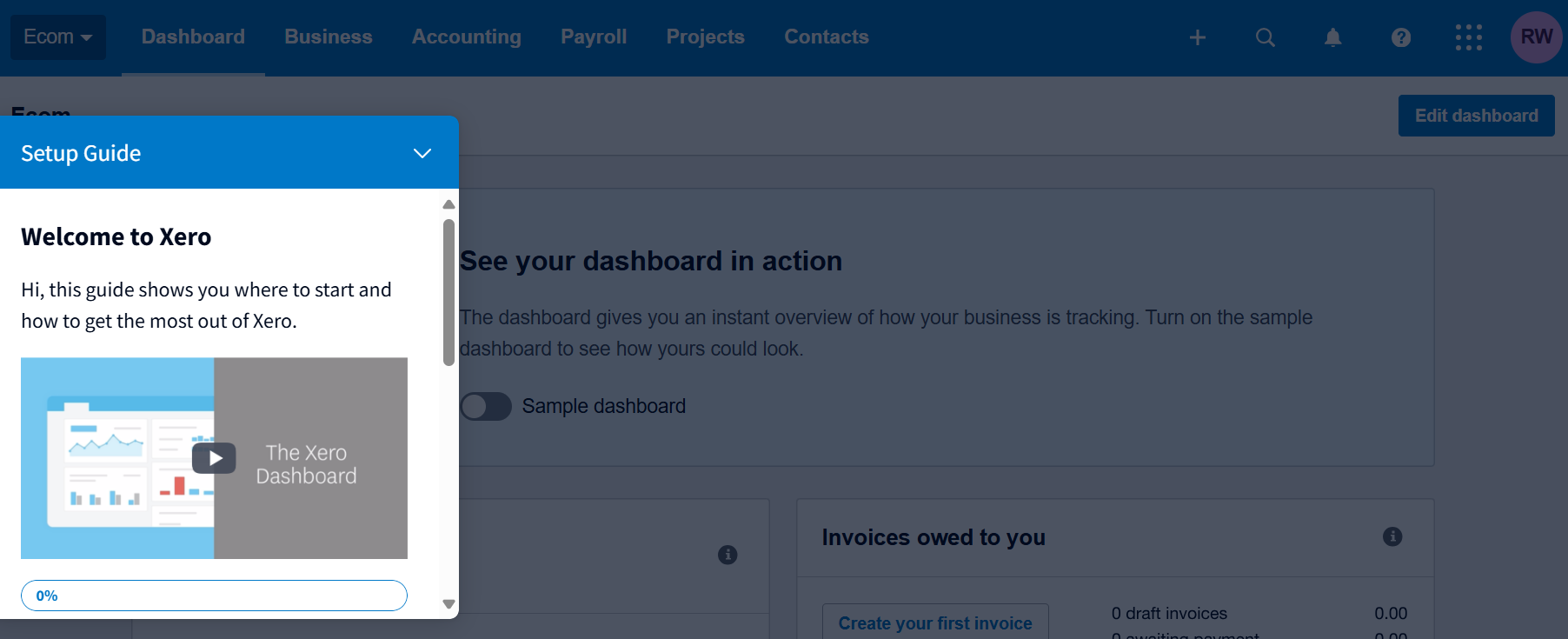
Xero also has a 'Get started' page to help users with both There are two sets of guides, one for small businesses and one for accountants and bookeepers, making the experience more tailored to your needs.
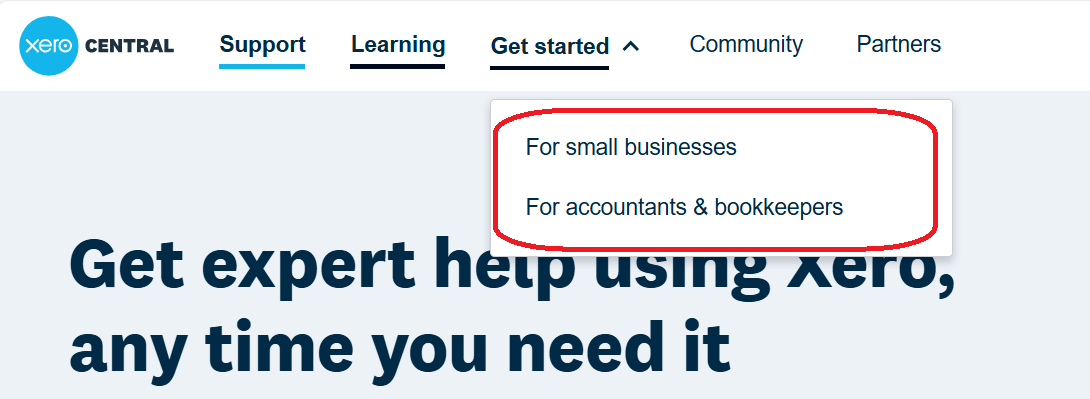
Overall, Xero's setup process and ease-of-use make the onboarding process straightforward and hiccup-free.
QuickBooks: QuickBooks provides a straightforward layout with plenty of customisable features. Right from the start, QuickBooks helps you customise the dashboard homepage to your needs, with options for widgets and changing the layout.
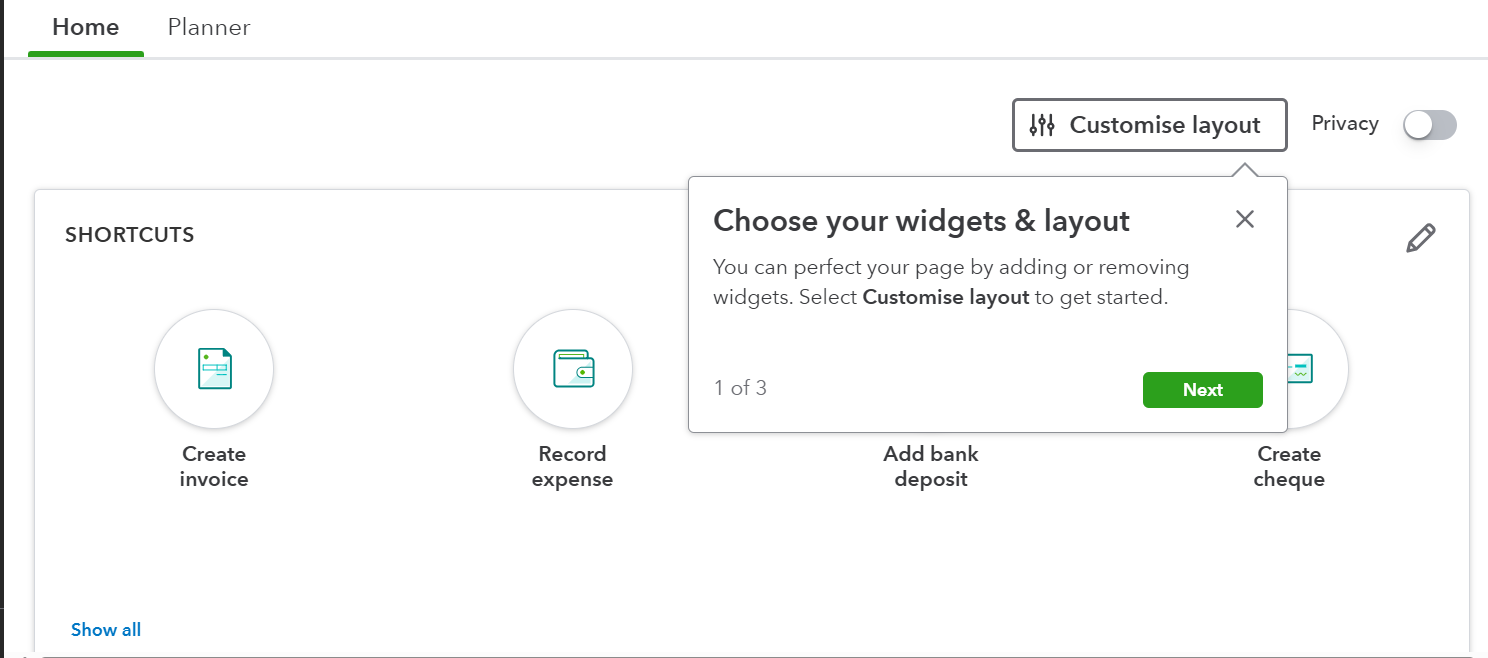
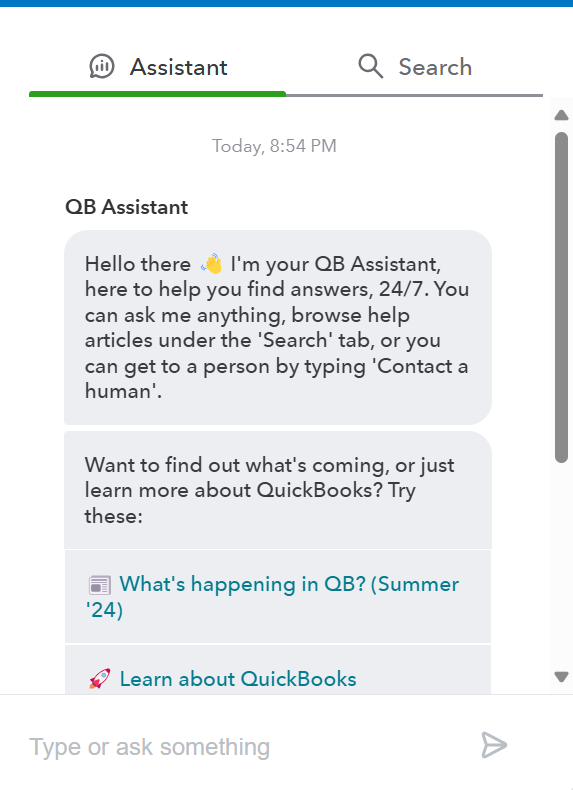
The setup process is easy, and users are walked through the early steps via a series of helpful pop-ups. QuickBooks also has a helpful AI assistant that lets you ask questions about specific features and topics. It's a really useful feature that can save valuable time by providing fast answers to your queries.
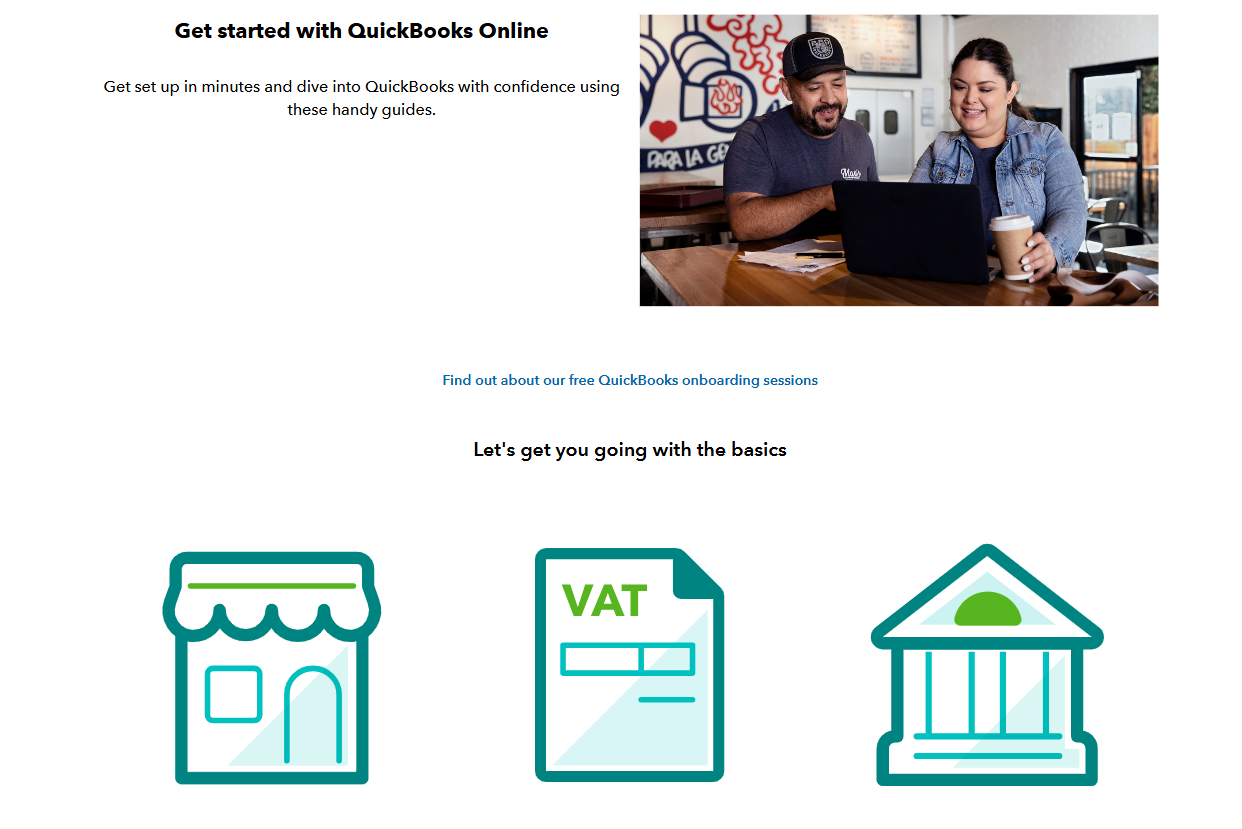
Beyond the dashboard, QuickBooks also has a 'get started' page, helping new users become accustomed to the platform and its features.
Xero and QuickBooks both excel in providing intuitive setups and user-friendly interfaces. Both platforms are easy for beginners to pick up, and easy for advanced users to customise to their needs.
Invoicing
Xero:
Xero's invoicing tools are designed for simplicity and efficiency. The clean interface, as shown in the screenshot, lets users easily navigate between different invoice statuses, such as Draft, Awaiting Approval and Paid. Customisable templates ensure that your invoices match your brand, giving a professional touch to every transaction.
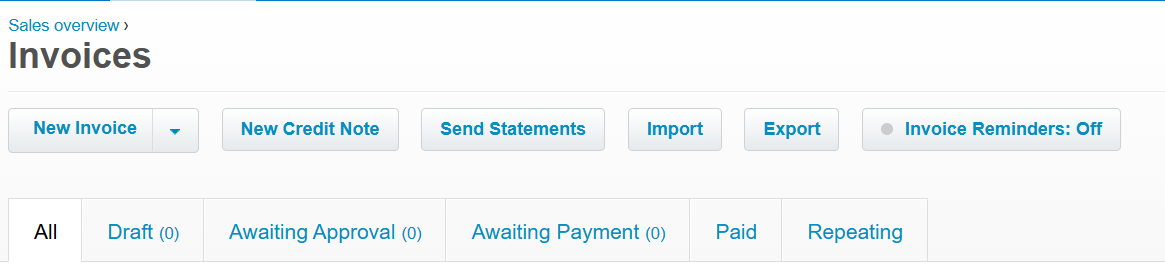
Automated reminders can be set up for unpaid invoices, reducing the need for manual follow-ups. This feature is particularly beneficial for maintaining cash flow. Xero also supports bulk invoicing, making it easy to send multiple invoices simultaneously, saving both time and effort. Importing and exporting invoices is straightforward, allowing for seamless data management across different systems.
Overall, Xero’s invoicing features make it easier for businesses to stay on top of their billing, offering a comprehensive solution for efficient financial management.
Each platform offers reliable tools for managing invoices efficiently, making either a solid choice.
QuickBooks:
QuickBooks offers a versatile invoicing system designed to meet the needs of businesses of all sizes. Users can create, customise and send invoices that reflect their brand identity. QuickBooks supports automated recurring invoices, ideal for businesses that bill clients regularly, whether they are small operations or larger enterprises.
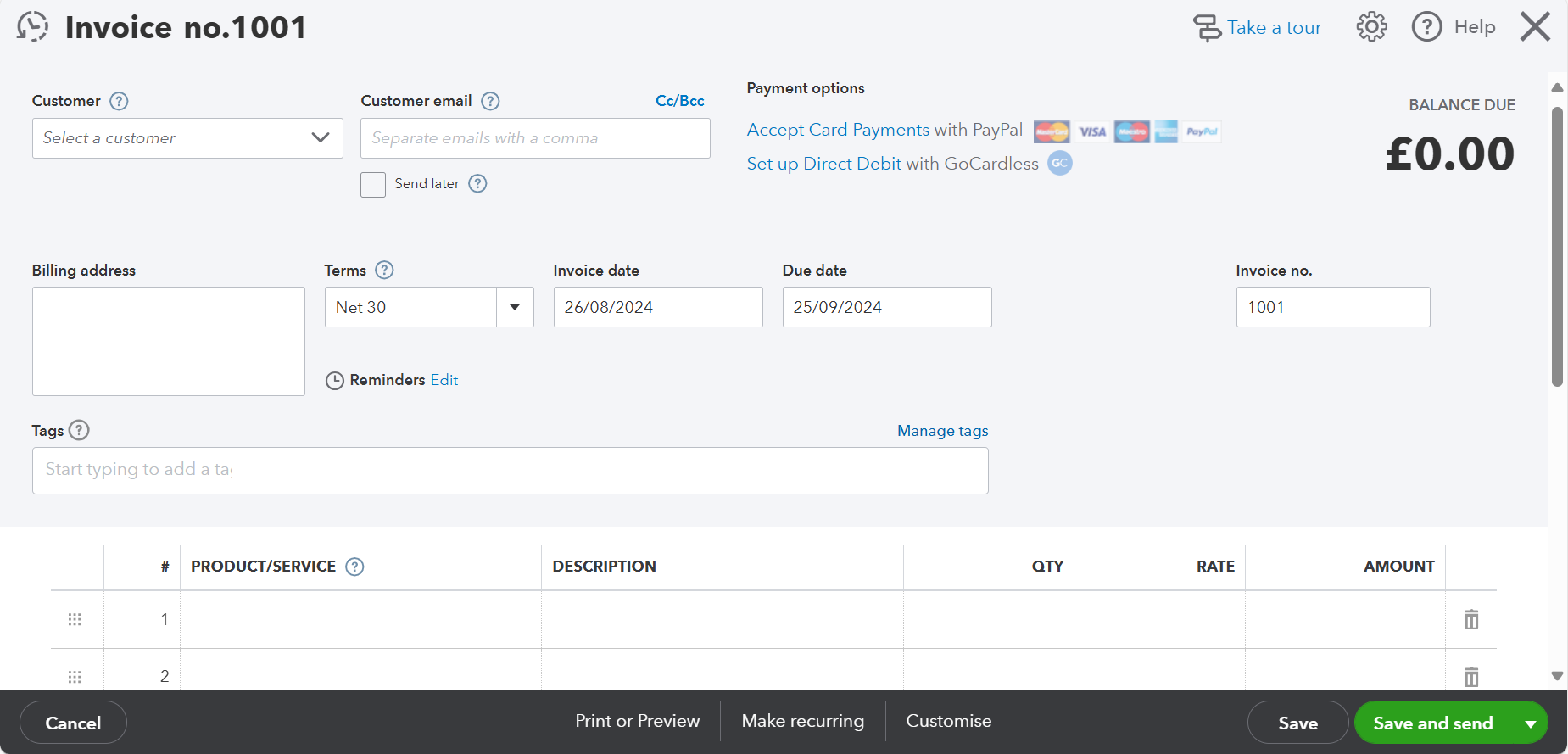
QuickBooks also features mobile invoicing, allowing businesses to manage billing on the go. Integrated payment options make it easy for clients to pay directly from the invoice, streamlining the payment process and improving cash flow.
Reporting
Xero: Xero offers all the reporting tools you'd expect, including customisable reports like profit and loss statements, balance sheets and cash flow statements. These reports are designed to provide detailed financial insights. Users appreciate Xero's ability to generate accurate reports, though some find the system a bit less intuitive when dealing with more complex data sets. Despite this, Xero remains a strong choice for those needing detailed financial reporting.
QuickBooks: QuickBooks is known for its detailed reporting capabilities, offering deep customisation across various financial reports, including profit and loss statements, balance sheets and cash flow summaries. QuickBooks' reports are praised for the level of detail they provide, making it especially useful for businesses that require in-depth financial analysis.
Both Xero and QuickBooks provide essential reporting features, but QuickBooks' flexibility in customization might make it more appealing to those needing highly tailored reports. However, Xero holds its own with a strong set of tools that cater well to businesses seeking detailed and accurate financial insights.
Expense and Bill Management
Xero: Xero’s expense and bill management features are accessible across both desktop and mobile platforms. Users can easily capture and categorise receipts, manage bills and track expenses. However, it's worth noting that some features, such as advanced expense claims, are limited to higher-tier plans.
QuickBooks: QuickBooks offers similar capabilities, including receipt scanning, bill tracking and expense categorisation. The key difference is that QuickBooks includes these features in all its plans, making them more accessible regardless of subscription level. This means even small businesses or sole traders on basic plans have access to essential expense management tools.
Integrations
Xero: Xero integrates with over 1,000 apps, making it very adaptable to various business needs. This includes CRM systems, time tracking apps and ecommerce platforms.
QuickBooks: QuickBooks connects with over 750 apps. It supports time tracking, CRM, and ecommerce tools, fitting well into most business setups.
Both Xero and QuickBooks integrate well with ShopWired, ensuring a smooth workflow for ecommerce businesses. We will explore these integrations further on.
Accountant Opinions
Xero: Accountants appreciate Xero for its clean interface and ease of use, particularly outside the US. Its robust features for bank feeds, usability and payroll make it a favorite in regions like Europe and New Zealand. Many accountants find Xero’s audit trails and safety checks helpful for correcting user errors and maintaining compliance.
QuickBooks: QuickBooks is often preferred by accountants in the US due to its long-standing market presence and familiarity. It offers comprehensive tools that meet the needs of most accountants. QuickBooks’ advanced reporting and customisation options also make it a popular choice among accounting professionals.
Customer Support
Xero: Xero offers 24/7 online support to all users, regardless of their subscription plan. This includes access to a comprehensive online help center, email support, and a community forum where users can seek advice and share experiences. However, Xero does not provide direct phone support. If users need phone assistance, they must request a callback, which might not be as immediate as direct phone support. One of the notable advantages of Xero's support system is that all representatives are Xero employees, ensuring consistent service quality and expertise
QuickBooks: QuickBooks offers multiple channels for customer support, designed to be both accessible and convenient. You can connect with their award-winning phone support team free of charge from 8 a.m. to 7 p.m., Monday through Friday. If you prefer not to wait on hold, QuickBooks also provides a "call me back" feature that allows you to schedule a callback at a time that suits you best. Additionally, for more flexible assistance, QuickBooks offers a messaging service from 8 a.m. to 10 p.m., Monday to Friday, and from 8 a.m. to 6 p.m. on weekends, giving users plenty of options to resolve issues quickly.
Features Summary
Choosing between Xero and QuickBooks depends largely on your business’s specific needs and location.
Choose Xero if:
- You run a startup or a small to medium-sized business looking for an intuitive and user-friendly interface.
- You value a large number of integrations.
- Your business is based outside the US, particularly in Europe or New Zealand.
Choose QuickBooks if:
- You need advanced reporting features and detailed financial insights.
- You prefer extensive customer support availability.
- Your business is based in the US, where QuickBooks is widely used and preferred by accountants.
Xero vs QuickBooks - Online Reviews
Exploring real user reviews can provide invaluable insights into the overall user experience (UX) of accounting software platforms like Xero and QuickBooks. These reviews often highlight common issues, praise specific features, and reflect the satisfaction level of a diverse user base, making them a useful resource when deciding which tool to adopt for your business.
Trustpilot and G2 Scores:
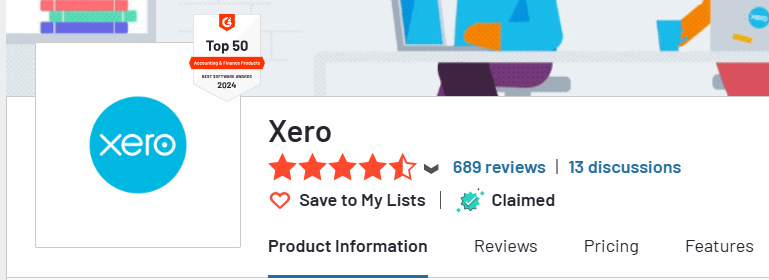
Xero: On G2, Xero scores an impressive 4.3 out of 5 from over 650 reviews.
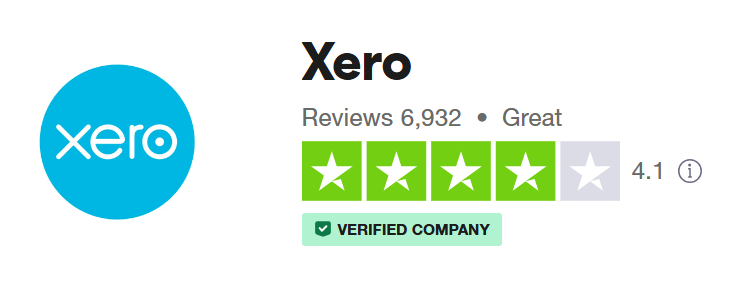
On Trustpilot, it maintains a strong reputation with a score of 4.1 out of 5 from almost 7,000 reviews.
QuickBooks: QuickBooks also performs well on these platforms, scoring 4.4 out of 5 on G2 from over 250 reviews.

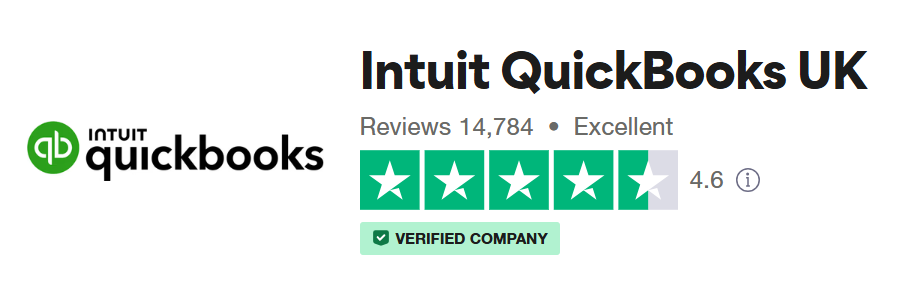
QuickBooks has a Trustpilot score of 4.6 out of 5 from almost 15,000 reviews.
Summary of User Feedback
Xero
Ease of Use: Xero is often praised for its clean, intuitive interface, which is a recurring theme in positive reviews.
Automation: Users appreciate Xero’s ability to automate repetitive tasks, such as invoicing and bank reconciliation, which saves time and reduces the risk of errors.
Customisation: The platform’s customisable reports and dashboards allow users to tailor their financial insights to specific needs, which is a strong point mentioned by many.
Mobile Access: Xero’s mobile app is another highlight, offering users the flexibility to manage finances on the go.
QuickBooks
Comprehensive Features: QuickBooks is frequently lauded for its extensive set of features that cater to businesses of all sizes, particularly its advanced reporting tools and payroll capabilities.
Customer Support: QuickBooks users often mention the helpfulness of its customer support team, especially the availability of phone support and messaging services, which provide timely assistance.
Integration: The platform’s ability to integrate seamlessly with various business tools, including banking systems and ecommerce platforms, is another area where QuickBooks excels.
Scalability: Many users note that QuickBooks grows with their business, offering different plans and features that adapt to their evolving needs.
Both platforms have their strengths and are well-regarded by their respective user bases. Xero is often favored for its simplicity and automation, while QuickBooks stands out for its rich feature set and customer support. Ultimately, the choice between the two will depend on the specific needs and priorities of your business.
ShopWired Integration
Both Xero and QuickBooks integrate seamlessly with ShopWired to help streamline your financial management. To set up the integration for either platform, visit the ShopWired app store and install the app.
For a detailed guide on the setup and settings for each integration, visit the ShopWired guides for Xero and QuickBooks.
Benefits of Using These Integrations for Ecommerce Businesses
Integrating Xero or QuickBooks with ShopWired offers several benefits for ecommerce businesses:
- Automated Invoicing: Automatically generate invoices for orders, reducing manual entry.
- Customer Account Management: Automatically create or match customer accounts.
- Accurate Financial Records: Maintain up-to-date and accurate financial records.
- Simplified Bookkeeping: Streamline your bookkeeping processes, saving time and reducing errors.
- Real-Time Data Sync: Ensure your financial data is synced in real-time, providing a clear view of your business's financial health.
Summary: Xero vs QuickBooks: Which One Is The Best?
Choosing between Xero and QuickBooks ultimately comes down to your specific needs and preferences. Each platform offers a solid set of accounting features to help manage your financial operations with ease.
Xero: Best for startups and small to medium-sized businesses, especially outside the US. It offers a user-friendly interface and extensive integrations. However, lower-tier plans have limitations, such as a cap on the number of invoices.
QuickBooks: Ideal for businesses needing detailed financial insights and advanced reporting. Preferred by US accountants, it offers comprehensive support, powerful features and solid customisation. The main drawback is the potentially higher cost for advanced features.
Both integrate seamlessly with ShopWired, providing features such as automated invoicing, customer account management and ensuring accurate financial records, all from one centralised platform. We'd recommend trying a free trial of each platform to determine if its right for you.
1. Which is better for small businesses, Xero or QuickBooks?
Both are excellent choices for small businesses. Xero is known for its user-friendly interface and extensive integrations, making it ideal for startups and growing businesses. QuickBooks offers more advanced reporting and direct customer support, which may be beneficial for businesses with more complex needs.
2. Can I integrate Xero or QuickBooks with my ecommerce platform?
Yes, both Xero and QuickBooks integrate seamlessly with various ecommerce platforms, including ShopWired. This integration helps automate invoicing, customer account management, and ensures accurate financial records.
3. What are the main differences in pricing between Xero and QuickBooks?
Xero offers four pricing plans starting from £15 per month, with varying features based on the plan. QuickBooks has different pricing plans tailored for sole traders and limited companies, starting at £10 per month. Both offer free trials.
4. Which platform offers better invoicing features?
QuickBooks might have an edge with customisable invoice templates, automated reminders, and the ability to update client details directly within invoices. Xero also offers strong invoicing features but has limitations in lower-tier plans.
5. How do the reporting features compare between Xero and QuickBooks?
QuickBooks stands out with its extensive customisation options and detailed financial reports, making it suitable for businesses needing in-depth analysis. Xero provides essential financial reports with decent customisation, ideal for small to mid-sized businesses.
6. What kind of customer support do Xero and QuickBooks offer?
Xero offers 24/7 online support through email and live chat, with extensive online resources. QuickBooks provides live chat and phone support during business hours, along with a comprehensive help center and tutorial videos.
7. Do Xero and QuickBooks offer mobile apps?
Yes, both Xero and QuickBooks offer mobile apps that allow users to manage their finances on the go, including features like expense tracking and invoicing.
8. Can I use Xero or QuickBooks for multi-currency transactions?
Yes, both Xero and QuickBooks support multi-currency transactions, although this feature is available in higher-tier plans.
9. Which platform is more popular with accountants?
QuickBooks is widely preferred by US accountants due to its established presence and comprehensive features. Xero is highly regarded internationally, especially in Europe and New Zealand, for its user-friendly design and efficiency.
10. Are there any limitations to be aware of with Xero or QuickBooks?
Xero's lower-tier plans have limitations, such as a cap on the number of invoices. QuickBooks can be more expensive for advanced features. Consider these factors when choosing the best platform for your business needs.